
Intro sequences create an initial impression prior to the start of the main video. A good opening sets the tone, character, and expectations for viewing in just a few moments. AI tools streamline the process of generating intros for films, making it more accessible for those who do not have extensive editing experience. Pippit is an automated tool that helps you transform ideas into a refined beginning with the flexibility to edit. Branding, storytelling, and audience engagement can be enhanced by customized intros.
Why Every Video Benefits from a Custom Intro Sequence
A custom intro provides a meaningful start to each video rather than a generic video opening. People are quick to determine if a piece of content is worth watching. An engaging opening can set the scene and generate interest. Video types can reinforce visual identity if there are consistent colors, typography, animation, and audio cues. But intros should serve to augment the content, not hold up the value of the content. Fast information typically gets across in short openings. Good pacing can hold attention and anticipation.
Essential Elements of an Effective AI-Generated Intro
A good AI movie intro should be clear, easy to read, have meaningful transitions, and match the audio. Effective visuals at the beginning should convey the topic or feeling right away. The typography needs to reflect the “personality” of the video, while remaining easy to read on smaller screens. Simple, smooth cuts can be used to join scenes together without making the opening too complicated. The music should support the mood, and key moments in the music should help to support the visual moments. Pacing must also be controlled, as dramatic openings might work well for longer content. Short-form videos typically require brisk openings that don’t include too many elements. Reference images, brand assets, and clear prompts can guide generated results. A balanced structure holds all the effects together to serve the purpose of the video.
Creative Intro Sequence Styles You Can Build with Pippit
Pippit provides a variety of creative directions, and different projects require different opening styles. When storytelling intent is important, visual pacing can be incorporated into a story studio.
Here are some styles to keep in mind while planning an intro:
- Minimalist Opening: Clean layouts and subtle motion are ideal for professional and educational videos.
- Cinematic Reveal: Dramatic transitions and layered effects create anticipation for storytelling.
- Modern Motion Graphics: Technology & marketing content gets bold typography and dynamic animation.
- Fast-Paced Social Intro: Attention-grabbing short-form cuts.
- Elegant Brand Introduction: Logo animation and sophisticated transitions deliver slick brand recognition.
- Creative Artistic Opening: Abstract images and cool effects do not overwhelm the content, but make it original.
How AI Improves Intro Design Without Complex Editing
AI automates repetitive production tasks while still leaving room for creativity. Automated scene arrangement can arrange the provided media based on the order of scenes. Scenes can be intelligently linked together with consistent visual rhythm. Theme-aware effects can align the direction of the project with motion, filters, and styling. Automated enhancement can enhance presentation without having to make a lot of technical adjustments. There’s an ad maker workflow that can help with structuring openings around promotional goals and clear calls to attention. Speed allows creators to create a draft and edit for branding, timing, tone, and accuracy.
Steps to Design Custom Intro Sequences in Seconds via AI Movie Maker
Step 1: Start your intro creation
- Sign up for Pippit using Google, TikTok, or Facebook account info.
- Open the “More” tab from the left vertical menu bar and select “Video generator”.
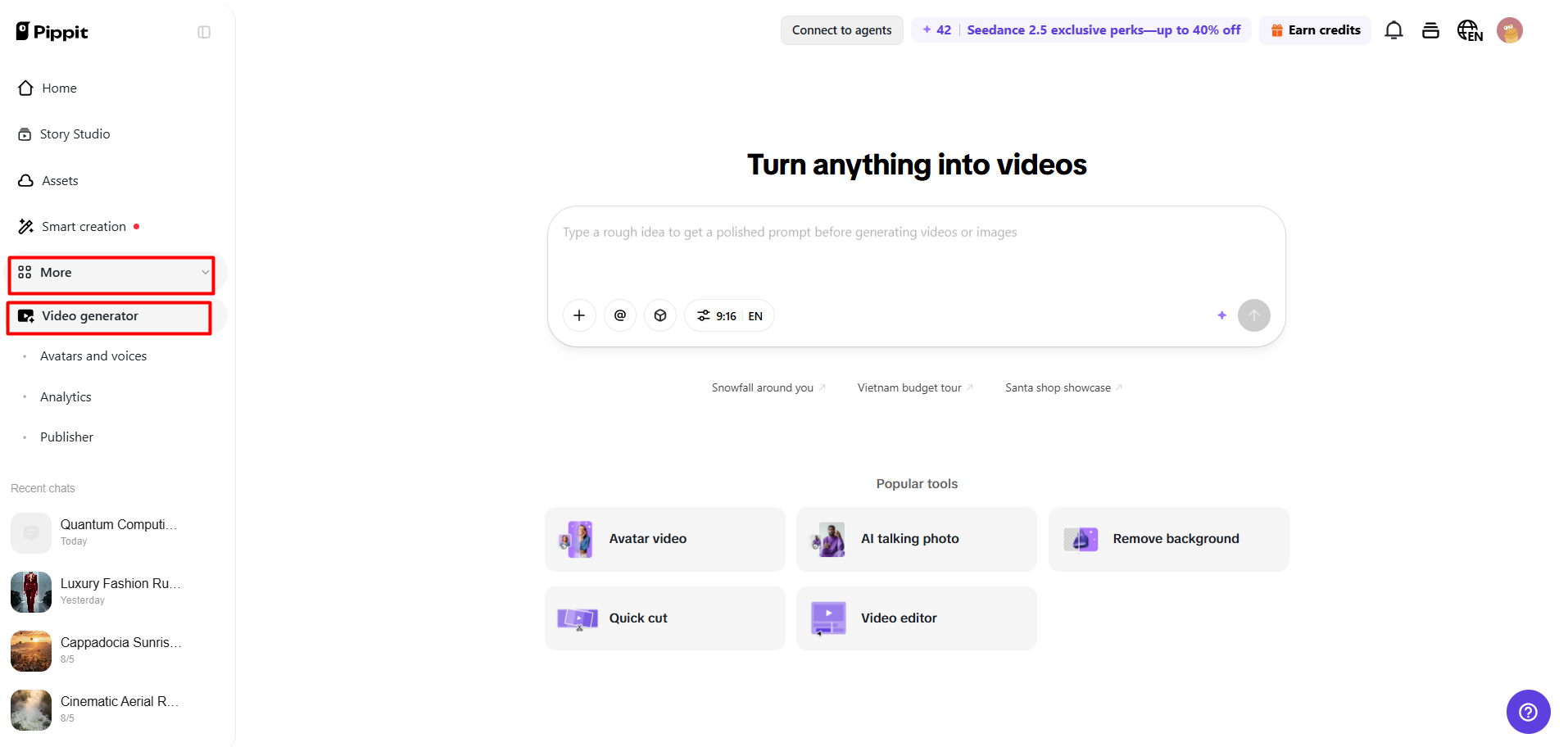
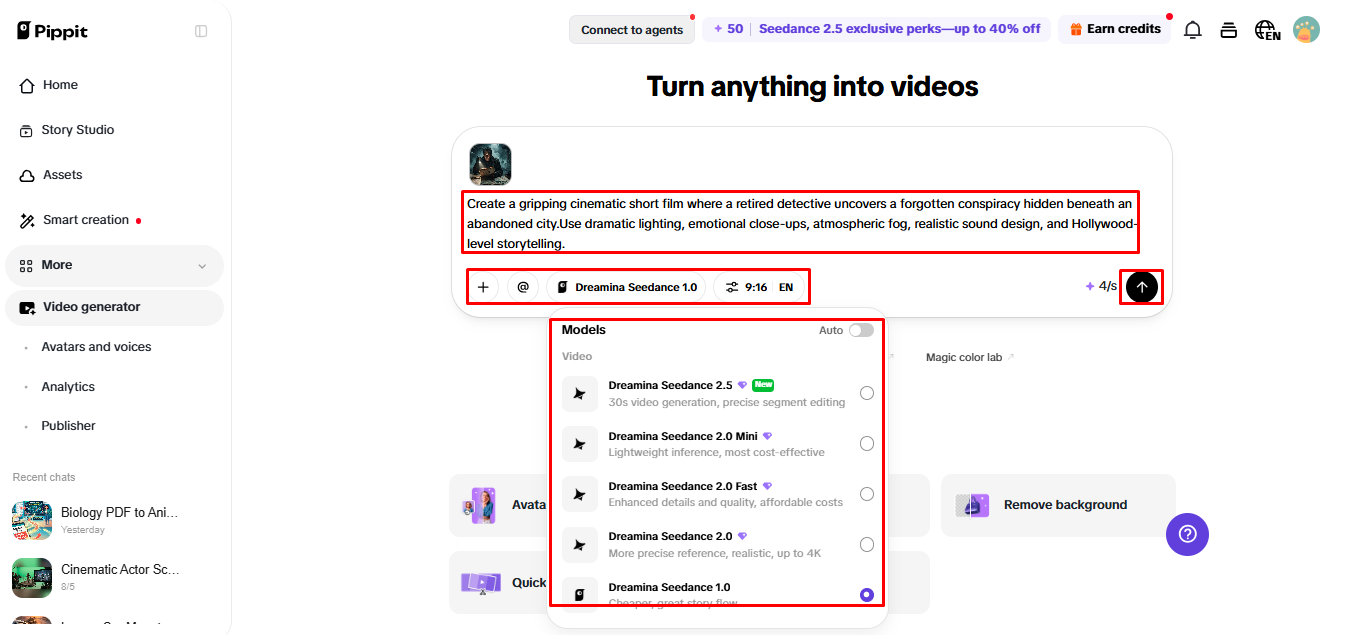
- Choose an AI model like Dreamina Seedance 1.0, Dreamina Seedance 2.0, Dreamina Seedance 2.0 Fast, Dreamina Seedance 2.0 Mini, or Dreamina Seedance 2.5.
- Enter a detailed prompt describing your intro style, animations, logo placement, colors, effects, and camera movements.
- Select video length, language, subtitles, and aspect ratio.
- Click “+” to upload reference images or videos from your device, phone, Dropbox, or a link. You can also select assets without reference media.
- Click “Generate” to create your intro sequence.
Step 2: Generate the intro video
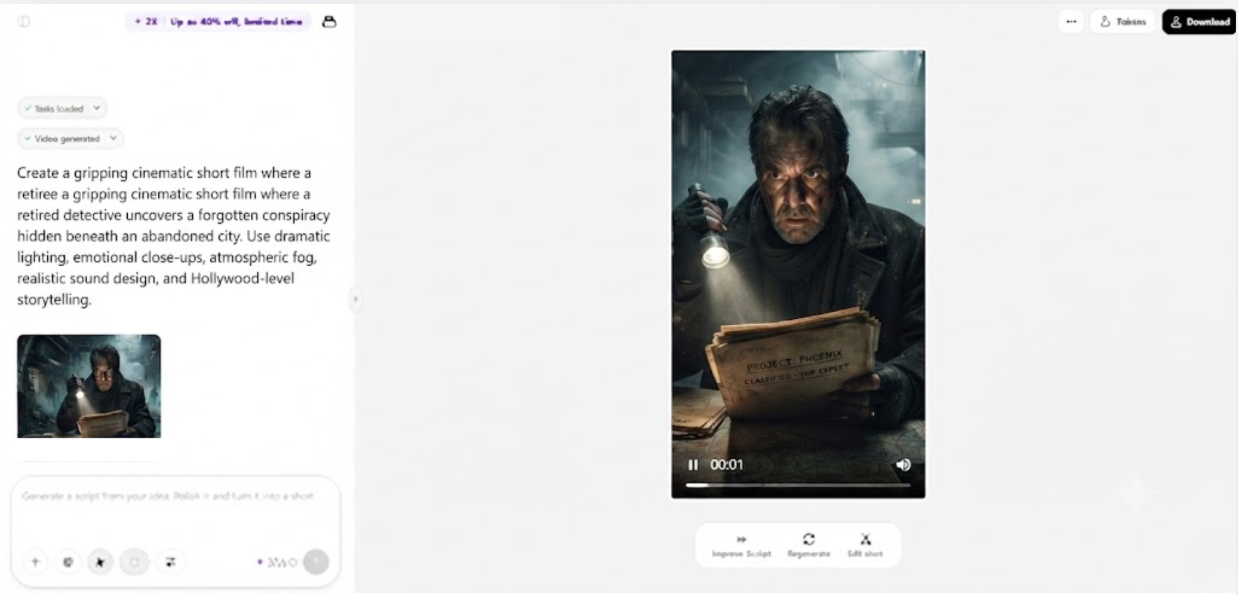
- After clicking “Generate”, Pippit’s AI video generator creates an intro movie using your prompt and reference media.
- The AI manages transitions, pacing, captions, avatars, voice, lyrics, and visual enhancements.
- You receive an intro draft for review.
Step 3: Edit & export your intro
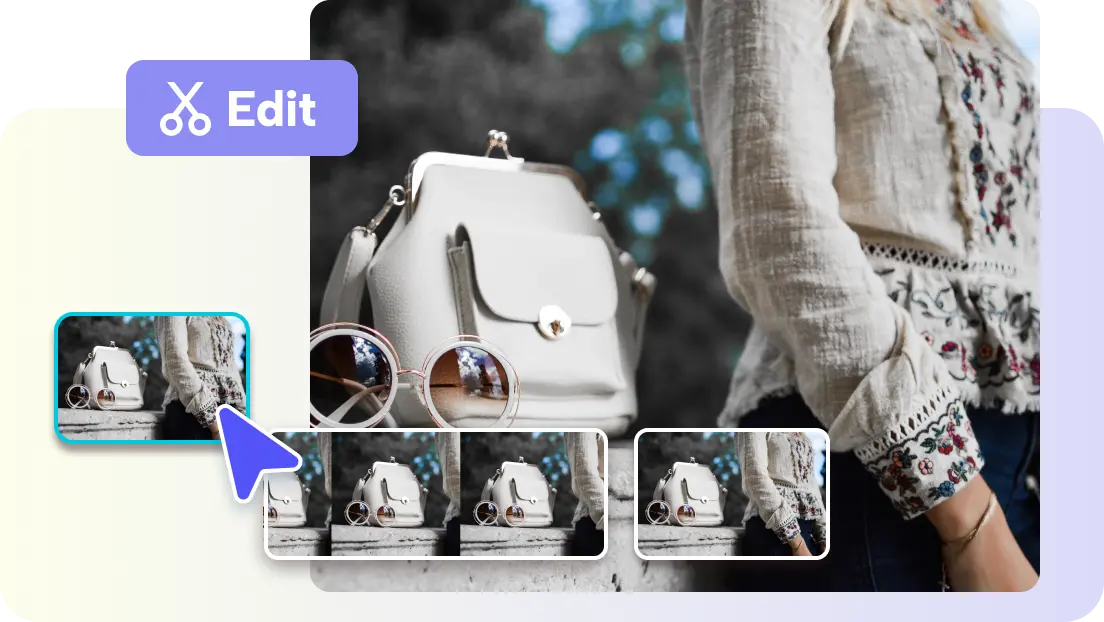
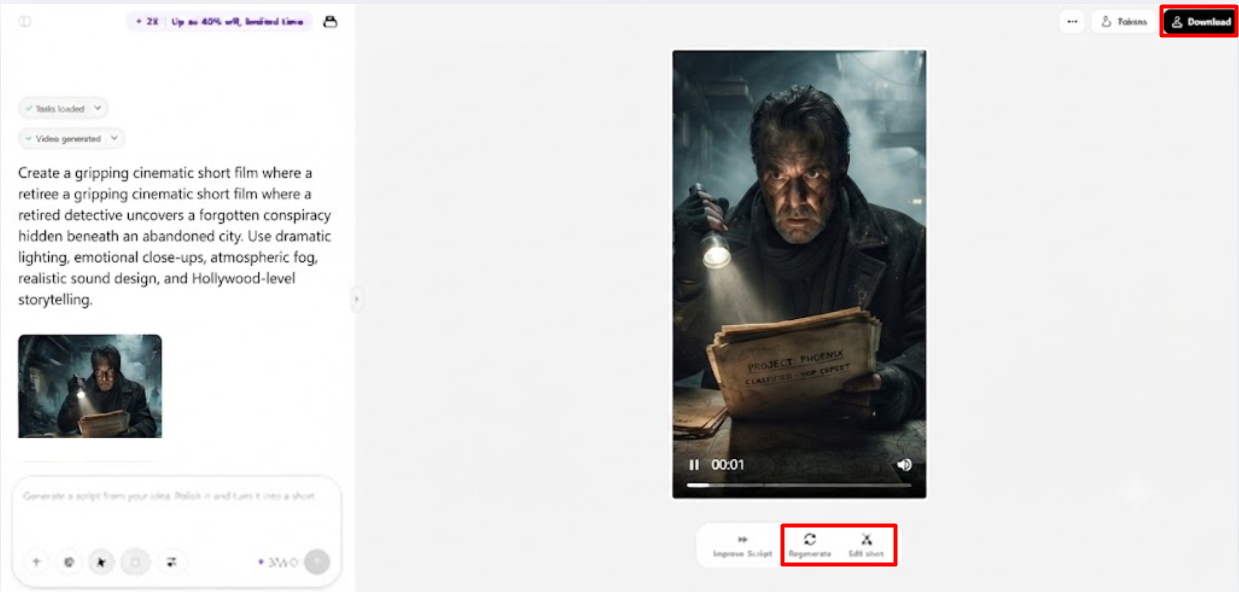
- Click the “Download” tab in the top right corner to save it. You can click “Regenerate” for a new version or select “Edit more” below the video for further customization.
- Edit captions, add text, and adjust size, color, alignment, filters, and effects.
- Add background music, remove backgrounds, and refine visuals.
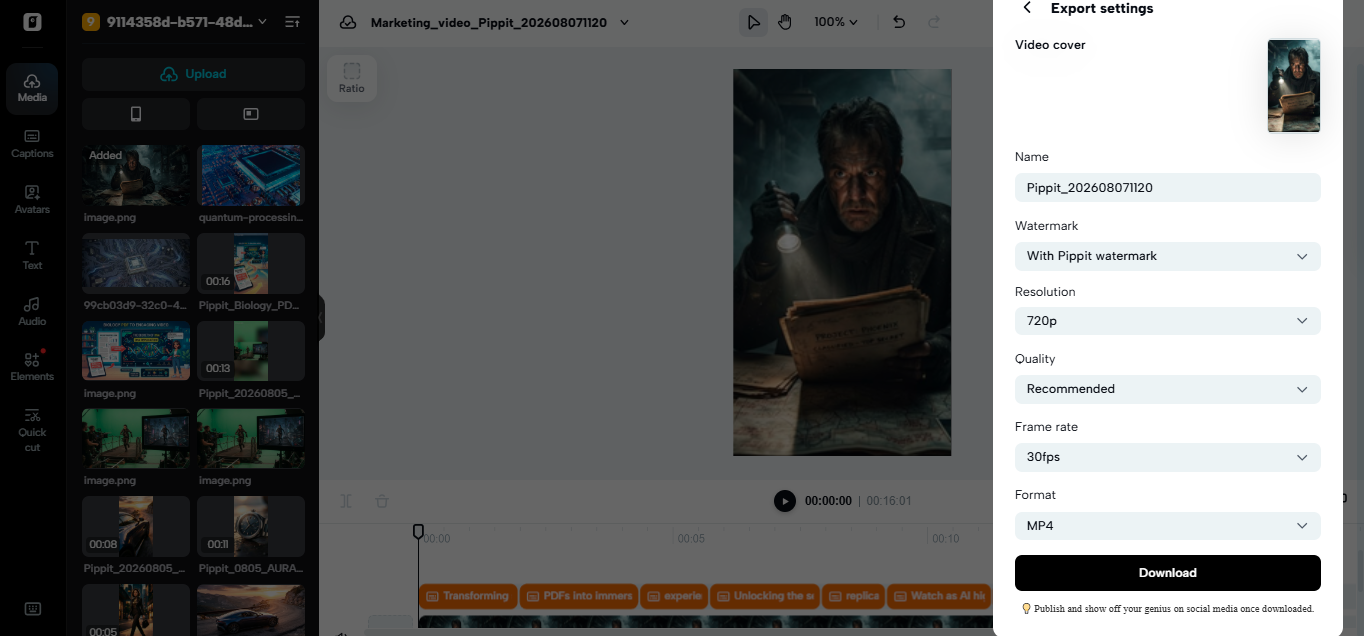
- Click “Export” when finished.
- Select “Publish” to share on TikTok, Instagram, or Facebook, or click “Download” with your preferred format, resolution, frame rate, and quality.
Personalizing Intro Sequences for Different Video Categories
Design should take into account the audience, purpose, and viewing environment in intro design. Brands, product imagery, and value statements can be short and succinct in promotional videos. Pure typography and minimal movement enhance educational content. Location imagery, energetic transitions, and appropriate music can be used in travel and lifestyle movies. When appropriate to the genre, entertainment projects can enhance the visual drama. Professional pacing, subtle branding, and clear opening titles can be required in business presentations. The short-form videos on social media tend to work well when they have immediate context and short visual sequences. These styles can be changed without having to rebuild all the elements, using Pippit’s editing environment. The consistent assets can link various categories and give a recognizable identity.
Editing Features That Enhance Intro Quality in Pippit
Pippit offers editing tools to enhance further the openings they’ve already created. Transition customization allows you to specify the transition between scenes. AI effects can provide movement to assist the creative direction chosen. Caption editing includes making alterations to the wording, placement, size, color, and alignment. Audio enhancements can balance music, voice elements, and other sounds. Auto-crop can optimize compositions for various platform formats. Exports at higher resolution to maintain clarity on larger screens. Drafts created by AI can still require tweaks before being published, so manual editing is still useful.
Best Practices for Creating Memorable AI Intro Sequences
Keep Intros short and to the point, allowing content to be introduced right away. Ensure colors are consistent with a brand’s colors for greater recognition. Don’t have too much effect, as the openings can become too crowded and clarity can be reduced. Pace the program effectively, allowing for sufficient time for key images to have impact. Ensure typography is readable, contrast is good, and typography is not too small or too large. Each platform requires different composition as they are either vertical or horizontal. Try it out before posting! Review captioning and ensure audio is comfortable. A good introductory paragraph should develop interest and lead the reader into the main material.
Conclusion
Professional intro design is faster and more accessible with AI-powered creation. Pippit has automated generation and editing functions for transitions, effects, captions, audio, and framing. Creators can generate content in a matter of seconds, and then edit the content that requires human judgment. Intros are kept aligned with branding, story, and platform requirements through thoughtful customizations. A short, clear beginning can help reinforce the identity of each video without detracting from its content.